Condition variables performance of boost, Win32, and the C++11 standard library

About four years ago, I wrote the condition variables in Win32 API was much faster than boost threading library implementation. Since then the boost threading library has been rewritten and C++11 has introduced the threading support in the standard library. Let’s revisit the benchmark again.

The test program is bounded FIFO implemented with two condition variables. It passes 10,000,000 integers from the producer to the consumer. The test is conducted 50 times with the following environment.

– Intel(R) Core (TM) i7 950@3GHz.
– Windows 7 Professional
– Visual Studio 2012 Express (Update 1)

The average speed is shown here. Shorter is faster. Notice that it’s the result of 10 million times FIFO access. Although std::condition_variable is slower than others, the difference is pretty much nothing.

cv_comp_average

However, the distributions of elapsed time are still interesting. Among 50 times trial, Win32 and boost condition variables have pretty stable performance.

cv_comp_boost_dist

cv_comp_win32_dist

For unknown reason, however, std::condition_variable of Visual Studio 2012 Update 1 implementation sometimes takes very long time.

cv_comp_std_dist

Here is the test program.

#include <boost/thread.hpp>
#include <boost/timer.hpp>
#include <deque>
#include <thread>
#include <mutex>
#include <condition_variable>
#include <windows.h>

using namespace std;

class fifo
{
public:
    virtual ~fifo(){}
    virtual void push(int v) = 0;
    virtual int  pull()      = 0;
};

class boost_fifo : public fifo
{
public:
    boost_fifo(std::size_t s) : max_fifo_size(s){}

    void push(int v)
    {
        boost::mutex::scoped_lock lk(mtx);
        while(buffer.size() > max_fifo_size)
        {
            cv_slot.wait(lk);
        }
        buffer.push_back(v);
        cv_data.notify_one();
    }

    int pull()
    {
        boost::mutex::scoped_lock lk(mtx);
        while(buffer.empty())
        {
            cv_data.wait(lk);
        }
        int v = buffer.front();
        buffer.pop_front();
        cv_slot.notify_one();
        return v;
    }
private:
    std::size_t max_fifo_size;
    boost::mutex mtx;
    boost::condition_variable cv_slot;
    boost::condition_variable cv_data;
    std::deque<int> buffer;
};

class win32_fifo : public fifo
{
public:
    win32_fifo(std::size_t s) : max_fifo_size(s)
    {
        InitializeCriticalSection(&mtx);
        InitializeConditionVariable(&cv_slot);
        InitializeConditionVariable(&cv_data);
    }

    ~win32_fifo()
    {
        DeleteCriticalSection(&mtx);
    }

    void push(int v)
    {
        EnterCriticalSection(&mtx);
        while(buffer.size() > max_fifo_size)
        {
            SleepConditionVariableCS(&cv_slot, &mtx, INFINITE);
        }
        buffer.push_back(v);
        WakeConditionVariable(&cv_data);
        LeaveCriticalSection(&mtx);
    }

    int pull()
    {
        EnterCriticalSection(&mtx);
        while(buffer.empty())
        {
            SleepConditionVariableCS(&cv_data, &mtx, INFINITE);
        }

        int v = buffer.front();
        buffer.pop_front();
        WakeConditionVariable(&cv_slot);
        LeaveCriticalSection(&mtx);
        return v;
    }
private:
    std::size_t max_fifo_size;
    CRITICAL_SECTION mtx;
    CONDITION_VARIABLE cv_slot;
    CONDITION_VARIABLE cv_data;
    std::deque<int> buffer;
};

class std_fifo : public fifo
{
public:
    std_fifo(std::size_t s) : max_fifo_size(s){}

    void push(int v)
    {
        std::unique_lock<std::mutex> lk(mtx);
        while(buffer.size() > max_fifo_size)
        {
            cv_slot.wait(lk);
        }
        buffer.push_back(v);
        cv_data.notify_one();
    }

    int pull()
    {
        std::unique_lock<std::mutex> lk(mtx);
        while(buffer.empty())
        {
            cv_data.wait(lk);
        }
        int v = buffer.front();
        buffer.pop_front();
        cv_slot.notify_one();
        return v;
    }
private:
    std::size_t max_fifo_size;
    std::mutex mtx;
    std::condition_variable cv_slot;
    std::condition_variable cv_data;
    std::deque<int> buffer;
};

void push_loop(fifo* fifo_buffer)
{
    for(int i = 0; i < 10000000; i++)
    {
        fifo_buffer->push(i);
    }
}

void pull_loop(fifo* fifo_buffer)
{
    for(int i = 0; i < 10000000; i++)
    {
        fifo_buffer->pull();
    }
}

int main()
{
    vector<double> elapsedTime[3];
    
    static size_t const FIFO_SIZE = 16;
    for(int i = 0; i < 50; i++)
    {
        cerr << "BOOST FIFO: " << endl;
        {
            boost::timer tim;
            unique_ptr<fifo> fifo_buffer(new boost_fifo(FIFO_SIZE));
            boost::thread push_thread(bind(push_loop, fifo_buffer.get()));
            boost::thread pull_thread(bind(pull_loop, fifo_buffer.get()));
            
            push_thread.join();
            pull_thread.join();

            elapsedTime[0].push_back(tim.elapsed());
        }

        cerr << "WIN32 FIFO: " << endl;
        {
            boost::timer tim;
            unique_ptr<fifo> fifo_buffer(new win32_fifo(FIFO_SIZE));
            boost::thread push_thread(bind(push_loop, fifo_buffer.get()));
            boost::thread pull_thread(bind(pull_loop, fifo_buffer.get()));
            
            push_thread.join();
            pull_thread.join();
            
            elapsedTime[1].push_back(tim.elapsed());
        }

        cerr << "STD FIFO: " << endl;
        {
            boost::timer tim;
            unique_ptr<fifo> fifo_buffer(new std_fifo(FIFO_SIZE));
            boost::thread push_thread(bind(push_loop, fifo_buffer.get()));
            boost::thread pull_thread(bind(pull_loop, fifo_buffer.get()));
            
            push_thread.join();
            pull_thread.join();
            
            elapsedTime[2].push_back(tim.elapsed());
        }
    }
    
    for(auto v : elapsedTime)
    {
        for(auto e : v)
        {
            cout << e << ", ";
        }
        cout << endl;
    }

    return 1;
}

I used the following R code generate the graph. It also contains the raw data of elapsed time.

std <- c(5.183,  5.701,  7.006,  5.839,  5.524, 16.463,  8.336,  7.041,
         5.574,  5.098,  5.430,  5.034,  5.244,  6.088,  7.478,  5.557,
         5.062,  5.577,  5.266,  5.991,  5.900,  6.804,  6.452,  6.981,
         10.586, 7.152, 37.248,  5.469, 12.113,  6.645,  8.030, 10.559,
         10.695, 6.878,  6.321, 11.659,  6.210, 17.335,  5.804,  6.146,
         5.067,  5.709,  5.938,  5.718,  8.967,  7.143,  5.078,  7.472,
         5.347, 15.000)

boost <- c(6.104, 6.11, 5.862, 5.07, 5.311, 5.639, 5.402, 5.532, 5.61,
           5.686, 6.129, 5.481, 5.07, 5.602, 5.276, 6.046, 5.818, 6.209,
           6.111, 6.165, 5.828, 6.266, 5.806, 6.087, 5.708, 6.119, 6.406,
           6.096, 6.005, 6.332, 6.522, 6.91, 6.921, 5.765, 6.223, 5.444,
           6.274, 6.603, 5.717, 6.471, 5.968, 6.188, 6.608, 5.333, 5.506,
           5.507, 6.241, 5.981, 5.915, 6.515)

win32 <- c(4.356, 5.354, 4.641, 7.821, 4.664, 4.593, 7.174, 5.596, 4.493,
           4.353, 8.678, 4.459, 5.135, 4.526, 5.043, 4.997, 5.148, 5.03,
           7.421, 6.344, 7.64, 5.491, 6.101, 6.054, 6.626, 6.292, 6.29,
           6.912, 5.691, 5.991, 6.263, 6.096, 6.544, 8.024, 6.405, 6.216,
           6.157, 5.821, 7.759, 5.454, 6.364, 8.168, 8.471, 5.108, 6.192,
           5.385, 5.427, 5.855, 6.099, 5.539)

avg <- c(mean(std), mean(boost), mean(win32))

png("cv_comp_average.png")
barplot(avg, main="Condition Variable Comparison", names.arg = c("STD", "boost", "win32"), ylab="Elapsed Time (seconds)", ylim=c(0, 10))
dev.off()

png("cv_comp_std_dist.png")
hist(std, main="STD elapsed time histgram", xlab="Elapsed Time (seconds)", breaks=seq(0, 50, 1.0), ylim=c(0, 30))
dev.off()

png("cv_comp_boost_dist.png")
hist(boost, main="boost elapsed time histgram", xlab="Elapsed Time (seconds)", breaks=seq(0, 50, 1.0), ylim=c(0, 30))
dev.off()

png("cv_comp_win32_dist.png")
hist(boost, main="win32 elapsed time histgram", xlab="Elapsed Time (seconds)", breaks=seq(0, 50, 1.0), ylim=c(0, 30))
dev.off()
Posted in C++, Optimization | Tagged , , | Leave a comment

Make your first HEVC stream

This article shows how to encode your video with HM (HEVC Test Model (HM)), the reference implementation developed by the standard organizations.

HM is provided as a source code so that we can build on various platforms. But let’s focus on Windows and Microsoft Visual Studio tool chain for now.

Step 0: Prerequisite

  1. Microsofot Visual Studio 2008 or later. Express version should work. [Download]
  2. Your favorite YUV viewer such as YUV Player [Download]
  3. Subversion client such as Sliksvn [Download]
  4. Sample YUV file such as this [Download]

Step 1: Download the source tree

Get the latest version of HM.

% svn co https://hevc.hhi.fraunhofer.de/svn/svn_HEVCSoftware/trunk

Step 2: Build it!

Start Visual Studio command line prompt and build HM_vc9.sln located in trunk/build directory.

% msbuild /p:Configuration=Release HM_vc9.sln

Step 3: Encode it!

Open a notepad and make a configuration text file as shown at the bottom of this article. Save it as test.config. The encoder tool is called TAppEncoder.exe which should be located in trunk/bin/vc9/win32/release.

% TAppEncoder.exe -c test.cfg -i mobile_cif.yuv

Step 4: Check the output

The step above encodes the first 10 frames at 100kbps and creates mobile.hevc, which is your first HEVC stream. Congratulations!

The encoding tool also conveniently made YUV file which was decoded from the HEVC stream. You can compare the original (mobile_cif.yuv) and encoded file (mobile_out.yuv).

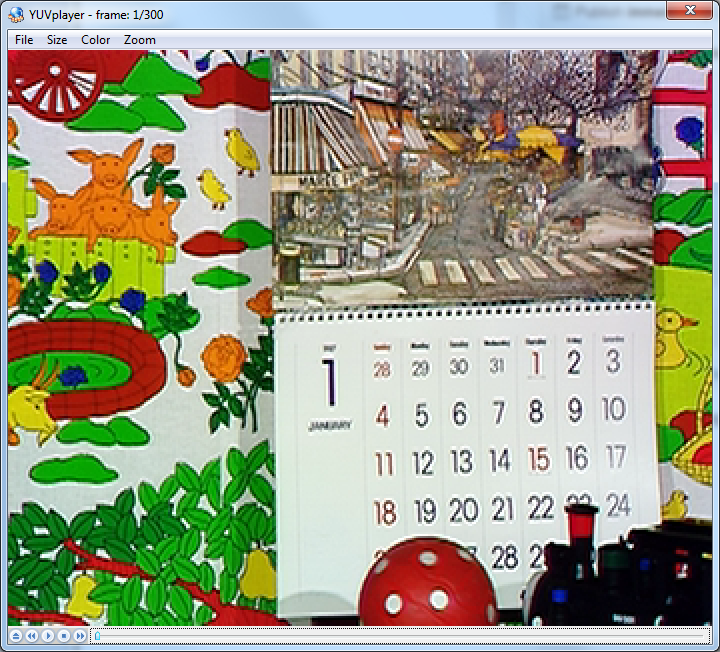
This is the original frame.

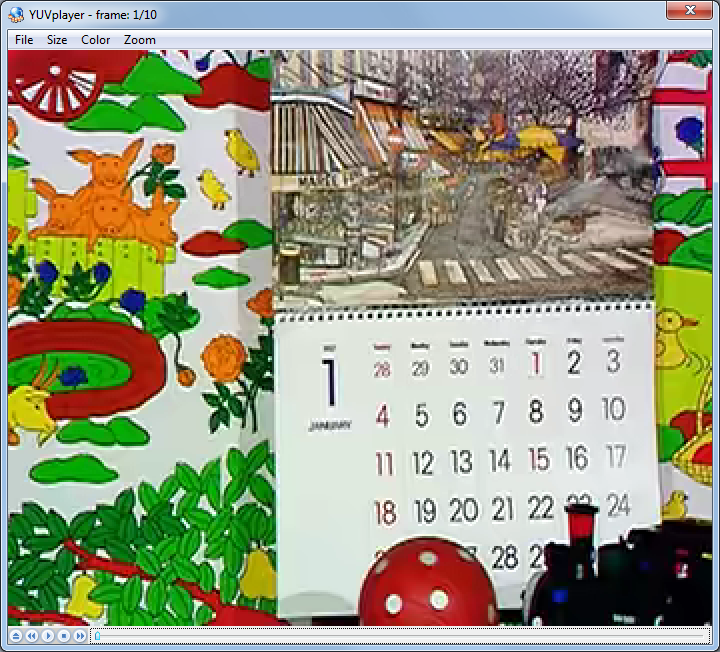
This is the encoded frame.

Do you see the difference? It’s doing pretty good job for 100kbps – but you can see some compression artifact here.

Configuration file

Here is the configuration file I used. Hover the mouse to right-top area to copy it.

Update: The config file was updated to the latest HM (Feb 6, 2013)

#======== File I/O =====================
BitstreamFile                 : mobile.hevc
ReconFile                     : mobile_out.yuv

FrameRate                     : 24          # Frame Rate per second
FrameSkip                     : 0           # Number of frames to be skipped in input
SourceWidth                   : 352         # Input  frame width
SourceHeight                  : 288         # Input  frame height
FramesToBeEncoded             : 10          # Number of frames to be coded

#======== Unit definition ================
MaxCUWidth                    : 64          # Maximum coding unit width in pixel
MaxCUHeight                   : 64          # Maximum coding unit height in pixel
MaxPartitionDepth             : 4           # Maximum coding unit depth
QuadtreeTULog2MaxSize         : 5           # Log2 of maximum transform size for
                                            # quadtree-based TU coding (2...6)
QuadtreeTULog2MinSize         : 2           # Log2 of minimum transform size for
                                            # quadtree-based TU coding (2...6)
QuadtreeTUMaxDepthInter       : 3
QuadtreeTUMaxDepthIntra       : 3

#======== Coding Structure =============
IntraPeriod                   : -1          # Period of I-Frame ( -1 = only first)
DecodingRefreshType           : 0           # Random Accesss 0:none, 1:CDR, 2:IDR
GOPSize                       : 4           # GOP Size (number of B slice = GOPSize-1)
#        Type POC QPoffset QPfactor tcOffsetDiv2 betaOffsetDiv2  temporal_id #ref_pics_active #ref_pics reference pictures predict deltaRPS #ref_idcs reference idcs 
Frame1:  B    1   3        0.4624   0            0               0           4                4         -1 -5 -9 -13       0
Frame2:  B    2   2        0.4624   0            0               0           4                4         -1 -2 -6 -10       1      -1       5         1 1 1 0 1
Frame3:  B    3   3        0.4624   0            0               0           4                4         -1 -3 -7 -11       1      -1       5         0 1 1 1 1            
Frame4:  B    4   1        0.578    0            0               0           4                4         -1 -4 -8 -12       1      -1       5         0 1 1 1 1
ListCombination               : 1           # Use combined list for uni-prediction in B-slices

#=========== Motion Search =============
FastSearch                    : 1           # 0:Full search  1:TZ search
SearchRange                   : 64          # (0: Search range is a Full frame)
BipredSearchRange             : 4           # Search range for bi-prediction refinement
HadamardME                    : 1           # Use of hadamard measure for fractional ME
FEN                           : 1           # Fast encoder decision
FDM                           : 1           # Fast Decision for Merge RD cost

#======== Quantization =============
QP                            : 32          # Quantization parameter(0-51)
MaxDeltaQP                    : 0           # CU-based multi-QP optimization
MaxCuDQPDepth                 : 0           # Max depth of a minimum CuDQP for sub-LCU-level delta QP
DeltaQpRD                     : 0           # Slice-based multi-QP optimization
RDOQ                          : 1           # RDOQ
RDOQTS                        : 1           # RDOQ for transform skip

#=========== Deblock Filter ============
DeblockingFilterControlPresent: 0           # Dbl control params present (0=not present, 1=present)
LoopFilterOffsetInPPS         : 0           # Dbl params: 0=varying params in SliceHeader, param = base_param + GOP_offset_param; 1=constant params in PPS, param = base_param)
LoopFilterDisable             : 0           # Disable deblocking filter (0=Filter, 1=No Filter)
LoopFilterBetaOffset_div2     : 0           # base_param: -13 ~ 13
LoopFilterTcOffset_div2       : 0           # base_param: -13 ~ 13

#=========== Misc. ============
InternalBitDepth              : 8           # codec operating bit-depth

#=========== Coding Tools =================
SAO                           : 1           # Sample adaptive offset  (0: OFF, 1: ON)
AMP                           : 1           # Asymmetric motion partitions (0: OFF, 1: ON)
TransformSkip                 : 1           # Transform skipping (0: OFF, 1: ON)
TransformSkipFast             : 1           # Fast Transform skipping (0: OFF, 1: ON)
SAOLcuBoundary                : 0           # SAOLcuBoundary using non-deblocked pixels (0: OFF, 1: ON)

#============ Slices ================
SliceMode                : 0                # 0: Disable all slice options.
                                            # 1: Enforce maximum number of LCU in an slice,
                                            # 2: Enforce maximum number of bytes in an 'slice'
                                            # 3: Enforce maximum number of tiles in a slice
SliceArgument            : 1500             # Argument for 'SliceMode'.
                                            # If SliceMode==1 it represents max. SliceGranularity-sized blocks per slice.
                                            # If SliceMode==2 it represents max. bytes per slice.
                                            # If SliceMode==3 it represents max. tiles per slice.

LFCrossSliceBoundaryFlag : 1                # In-loop filtering, including ALF and DB, is across or not across slice boundary.
                                            # 0:not across, 1: across

#============ PCM ================
PCMEnabledFlag                      : 0                # 0: No PCM mode
PCMLog2MaxSize                      : 5                # Log2 of maximum PCM block size.
PCMLog2MinSize                      : 3                # Log2 of minimum PCM block size.
PCMInputBitDepthFlag                : 1                # 0: PCM bit-depth is internal bit-depth. 1: PCM bit-depth is input bit-depth.
PCMFilterDisableFlag                : 0                # 0: Enable loop filtering on I_PCM samples. 1: Disable loop filtering on I_PCM samples.

#============ Tiles ================
UniformSpacingIdc                   : 0                # 0: the column boundaries are indicated by ColumnWidth array, the row boundaries are indicated by RowHeight array
                                                       # 1: the column and row boundaries are distributed uniformly
NumTileColumnsMinus1                : 0                # Number of columns in a picture minus 1
ColumnWidthArray                    : 2 3              # Array containing ColumnWidth values in units of LCU (from left to right in picture)   
NumTileRowsMinus1                   : 0                # Number of rows in a picture minus 1
RowHeightArray                      : 2                # Array containing RowHeight values in units of LCU (from top to bottom in picture)

LFCrossTileBoundaryFlag           : 1                  # In-loop filtering is across or not across tile boundary.
                                                       # 0:not across, 1: across 

#============ WaveFront ================
WaveFrontSynchro                    : 0                # 0:  No WaveFront synchronisation (WaveFrontSubstreams must be 1 in this case).
                                                       # >0: WaveFront synchronises with the LCU above and to the right by this many LCUs.

#=========== Quantization Matrix =================
ScalingList                   : 0                      # ScalingList 0 : off, 1 : default, 2 : file read
ScalingListFile               : scaling_list.txt       # Scaling List file name. If file is not exist, use Default Matrix.

#============ Lossless ================
TransquantBypassEnableFlag: 0  # Value of PPS flag.
CUTransquantBypassFlagValue: 0 # Constant lossless-value signaling per CU, if TransquantBypassEnableFlag is 1.

#============ Rate Control ======================
RateControl                         : 0                # Rate control: enable rate control
TargetBitrate                       : 1000000          # Rate control: target bitrate, in bps
KeepHierarchicalBit                 : 1                # Rate control: keep hierarchical bit allocation in rate control algorithm
LCULevelRateControl                 : 1                # Rate control: 1: LCU level RC; 0: picture level RC
RCLCUSeparateModel                  : 1                # Rate control: use LCU level separate R-lambda model
InitialQP                           : 0                # Rate control: initial QP
RCForceIntraQP                      : 0                # Rate control: force intra QP to be equal to initial QP

### DO NOT ADD ANYTHING BELOW THIS LINE ###
### DO NOT DELETE THE EMPTY LINE BELOW ###
Posted in Video | Tagged , , | 41 Comments

Find the MPEG output order from decoding order

Suppose there is a MPEG picture sequence and you know the decoding order. How do you get the output order (=presentation order)?

Assuming every picture is a frame structure, we can use the following method.

Imagine a ditch. Only I or P picture drops into it. If a picture drops when the ditch already has another picture, it’s pushed out. For example, suppose we have a picture sequence in decoding order: I, B, P, I.

The I picture is coming from the left and …

dropped into the ditch.

B picture passes over the ditch and outputs (presented).

P picture drops into the ditch…

And it pushes out the I picture. The I picture outputs.

Then, the last I picture comes. It drops into the ditch …

and pushes out the P picture.

Therefore, the output order is B, I, P. The last I picture stays in the ditch until another reference picture or a sequence_end_code.

The method also indicates several interesting observations.

  1. PTS of a reference picture (I/P) is greater than DTS. DTS is a timestamp when the picture comes from the left. PTS is a timestamp when the picture is pushed out from the ditch.
  2. PTS of a non-Reference picture (B) is same as DTS.
  3. The last output picture is always a reference picture.

When a frame is coded as two field pictures, group each pair to one symbol as shown below.

  • II -> I
  • IP -> I
  • PP -> P
  • BB -> B

Then apply the method. Once you get the output order, convert the symbol back to the original picture types.

This method does not apply for H.264. To get output order of H.264 picture sequence, we need to parse POC (Picture Order Count) information coded in the bit stream.

Posted in Video | Tagged , , , , , | 2 Comments

HEVC – What are CTU, CU, CTB, CB, PB, and TB?

HEVC, also known as H.265 or MPEG-H part 2(ISO/IEC 23008-2), is just around the corner. A good overview was published. The reference implementation is available. Active discussion can be read in the JCT-VC document management system. The Final Draft International Standard (FDIS) is expected be produced in January 2013.

However, as always, the standard writers love cryptic acronyms. Probably the first acronyms which discourage standard readers are block structure coding terminologies, namely CTU, CU, CTB, CB, PB, and TB.

They are basically replacement of Macroblocks and blocks in prior standards. Unlike 10 years ago, we have much higher frame sizes to deal with. 4K production became practical and people start talking about 8K. Even mobile device has higher than HD frame size such as 2048 x 1530. We need larger macroblocks to efficiently encode the motion vectors for these frame size. On the other hand, small detail is still important and we sometimes want to perform prediction and transformation at the granularity of 4×4.

How could we support wide variety of block sizes in efficient manner? That’s a challenge HEVC is trying to solve with those acronyms.

Let’s start from the higher level. Suppose we have a picture to encode. HEVC divides the picture into CTUs (Coding Tree Unit).

The width and height of CTU are signaled in a sequence parameter set, meaning that all the CTUs in a video sequence have the same size: 64×64, 32×32, or 16×16.

We need to understand an important naming convention here. In HEVC standard, if something is called xxxUnit, it indicates a coding logical unit which is in turn encoded into an HEVC bit stream. On the other hand, if something is called xxxBlock, it indicates a portion of video frame buffer where a process is target to.

CTU – Coding Tree Unit is therefore a logical unit. It usually consists of three blocks, namely luma (Y) and two chroma samples (Cb and Cr), and associated syntax elements. Each block is called CTB (Coding Tree Block).

Each CTB still has the same size as CTU – 64×64, 32×32, or 16×16. Depending on a part of video frame, however, CTB may be too big to decide whether we should perform inter-picture prediction or intra-picture prediction. Thus, each CTB can be differently split into multiple CBs (Coding Blocks) and each CB becomes the decision making point of prediction type. For example, some CTBs are split to 16×16 CBs while others are split to 8×8 CBs. HEVC supports CB size all the way from the same size as CTB to as small as 8×8.

The following picture illustrates how 64×64 CTB can be split into CBs.

CB is the decision point whether to perform inter-picture or intra-picture prediction. More precisely, the prediction type is coded in CU (Coding Unit). CU consists of three CBs (Y, Cb, and Cr) and associated syntax elements.

CB is good enough for prediction type decision, but it could still be too large to store motion vectors (inter prediction) or intra prediction mode. For example, a very small object like snowfall may be moving in the middle of 8×8 CB – we want to use different MVs depending on the portion in CB.

Snowfall

Thus, PB was introduced. Each CB can be split to PBs differently depending on the temporal and/or spatial predictability.

Once the prediction is made, we need to code residual (difference between predicted image and actual image) with DCT-like transformation. Again, CB could be too big for this because a CB may contains both a detailed part (high frequency) and a flat part (low frequency). Therefore, each CB can be differently split into TBs (Transform Block). Note that TB doesn’t have to be aligned with PB. It is possible and often makes sense to perform single transform across residuals from multiple PBs, vise versa.

Let’s read a draft standard text regarding to these terminologies. They should make more sense now.

CTU (coding tree unit): A coding tree block of luma samples, two corresponding coding tree blocks of chroma samples of a picture that has three sample arrays, or a coding tree block of samples of a monochrome picture or a picture that is coded using three separate colour planes and syntax structures used to code the samples. The division of a slice into coding tree units is a partitioning.

CTB (coding tree block): An NxN block of samples for some value of N. The division of one of the arrays that compose a picture that has three sample arrays or of the array that compose a picture in monochrome format or a picture that is coded using three separate colour planes into coding tree blocks is a partitioning.

CB (coding block): An NxN block of samples for some value of N. The division of a coding tree block into coding blocks is a partitioning.

CU (coding unit): A coding block of luma samples, two corresponding coding blocks of chroma samples of a picture that has three sample arrays, or a coding block of samples of a monochrome picture or a picture that is coded using three separate colour planes and syntax structures used to code the samples. The division of a coding tree unit into coding units is a partitioning.

PB (prediction block): A rectangular MxN block of samples on which the same prediction is applied. The division of a coding block into prediction blocks is a partitioning.

TB (transform block): A rectangular MxN block of samples on which the same transform is applied. The division of a coding block into transform blocks is a partitioning.

Posted in Video | Tagged , , , , , , , | Leave a comment

The build is broken! How much time do we waste?

Continuous Integration (CI) encourages frequent code commit as opposed to running extensive QA process before merging the work to the trunk. I like Continuous Integration because the code changes are visible to everyone immediately. If someone makes a mistake, we can detect it before the problem is buried deep in the source code history.

However, one of my colleagues has a concern.

When someone breaks a build, developers who happen to download the broken source tree are blocked to work. It’s waste of engineering resource.

That’s right, but I wonder how much time we actually waste.

Suppose each developer, on average, breaks the build 30 minutes per week and we have five developers in the team. The average downtime of the build is 0.5 \times 5 = 2.5 (hours/week). Also suppose each developer downloads the source tree 4 times a day, which is 100 times per week as 4 \times 5 (developers) \times 5 (days) = 100 (gets/week).

Probability that no download operation hits the broken build period (= nobody is blocked to work) should follow Bernoulli trial.

\binom{n}{k}p^k(1-p)^{(n-k)}

where k=0, p = \frac{2.5 (hours)}{40 (hours)}, and n = 100, thus

P_0 = \binom{100}{0}(\frac{2.5}{40})^0(1-\frac{2.5}{40})^{(100-0)} = 0.00157

Similarly, the probability that only one download operation hits the broken build period is:

P_1 = \binom{100}{1}(\frac{2.5}{40})^1(1-\frac{2.5}{40})^{(100-1)} = 0.01050

And so on.

Now, suppose a developer has to wait for 30 minutes before the broken build is fixed. The expected blocking period when only one download operation hits the broken build period is P_1 \times 0.5 (hours) \times 1 (time), which is

\binom{100}{1}(\frac{2.5}{40})^1(1-\frac{2.5}{40})^{(100-1)} \times 0.5 \times 1 = 0.00525 (hours)

Similarly, the expected blocking period when just two download operations hit the broken build period is:

\binom{100}{2}(\frac{2.5}{40})^2(1-\frac{2.5}{40})^{(100-2)} \times 0.5 \times 2 = 0.0346 (hours)

And so on.

The total expected blocking period per week should be

\sum_{i=0}^{100}{\left(\binom{100}{i}(\frac{2.5}{40})^i(1-\frac{2.5}{40})^{(100-i)} \times 0.5 \times i\right)}=3.13 (hours)

Therefore, with the given parameter, we wastes 3.13 hours per week. As our total engineering hours is 5 (developers) \times 40 (hours) = 200 (hours), the waste ratio is about 3.13 / 200 = 0.0156, which is 1.56%.

The following graph shows the expected waste time ratio for various team size. Interestingly, it’s linear relations.

Considering the benefit of CI, I would say less than 5% of blocking time is acceptable. According to the graph, therefore, it’s not something we should worry about until the team size becomes more than 16 developers.

I used the following R script for the calculation.

brokenPeriod  <- 0.5      # Build broken peirod = 30 min per week
devCount <- 1:50          # number of developers
downloadPerWeek <- 4 * 5  # Each developer refresh the source tree four times a day

wasteTimeF <- function(numOfDevs){
  blockedDownload <- 1:(numOfDevs * downloadPerWeek)
  totalDownload <- numOfDevs * downloadPerWeek
  p <- (brokenPeriod * numOfDevs) / 40
  
  sum(dbinom(blockedDownload, totalDownload, p) * (blockedDownload * brokenPeriod))
}

wasteRatioF <- function(numOfDevs){
  wasteTimeF(numOfDevs) / (numOfDevs * 40)
}

wasteRatio <- sapply(devCount, wasteRatioF) 
Posted in Algorithm, Statistics | Tagged , , , | Leave a comment

Windows thread pool keeps threads even after being closed

Windows Thread pool maintains threads so that it doesn’t have to create a new one when a work item is submitted. It may surprise you that it maintains threads even after you close the thread pool with CloseThreadpool() API function.

The following code demonstrates it. It starts 100 thread pool work items and monitors the number of threads in the process for the next 70 second. The thread pool object is closed immediately after posting the tasks.

LONG g_activeThreadCount = 0;

void CALLBACK WorkProc(PTP_CALLBACK_INSTANCE Instance, PVOID Context, PTP_WORK Work)
{
    InterlockedIncrement(&g_activeThreadCount);
    Sleep(5000);
    InterlockedDecrement(&g_activeThreadCount);
}

void PostThreadpoolWorks(int numberOfThreadpoolWorks)
{
    PTP_POOL pool = CreateThreadpool(NULL);
    if(!pool)
    {
        throw std::runtime_error("Fail to CreateThreadpool.");
    }

    PTP_WORK work = CreateThreadpoolWork(&WorkProc, NULL, NULL);
    if(!work)
    {
        CloseThreadpool(pool);
        throw std::runtime_error("Fail to CreateThreadpoolWork.");
    }

    for(int i = 0; i < numberOfThreadpoolWorks; i++)
    {
        SubmitThreadpoolWork(work);
    }

    CloseThreadpoolWork(work);
    CloseThreadpool(pool);
}

void Test1()
{
    // Post 100 thread pool work. The thread pool object is closed 
    // immediately.
    PostThreadpoolWorks(100);
    
    // keep monitoring the number of threads for 70 seconds.
    DWORD tick = GetTickCount();
    for(int i = 0; i < 100; i++)
    {
        cout << (GetTickCount() - tick) / 1000.0 << " " << GetNumOfThreads() << " " << g_activeThreadCount << endl;
        Sleep(1000);
    }
}

As each work item is finished in 5 seconds, the number of running threads (green) is 100 just for a few seconds. However, the number of threads in the process (red) is maintained for the next 68 seconds.

To confirm the observation, I started threads so that the number of running threads forms the triangle.

It indicates that the process maintains the maximum number of threads used within the last 65 to 70 seconds even though the thread pool object is closed.

Here is the program used in the experiment.

DWORD GetNumOfThreads()
{
    HANDLE hThreadSnap = INVALID_HANDLE_VALUE;
    THREADENTRY32 te32;

    hThreadSnap = CreateToolhelp32Snapshot(TH32CS_SNAPTHREAD, 0);
    if(hThreadSnap == INVALID_HANDLE_VALUE)
    {
        return (DWORD)-1;
    }

    te32.dwSize = sizeof(THREADENTRY32);
    
    if(!Thread32First(hThreadSnap, &te32))
    {
        CloseHandle(hThreadSnap);
        return (DWORD)-1;
    }
    
    DWORD count = 0;
    do
    {
        if( te32.th32OwnerProcessID == GetCurrentProcessId() )
        {
            count++;
        }
    } while( Thread32Next(hThreadSnap, &te32 ) );
    
    CloseHandle( hThreadSnap );
    return count;
}

LONG g_activeThreadCount = 0;

void CALLBACK WorkProc(PTP_CALLBACK_INSTANCE Instance, PVOID Context, PTP_WORK Work)
{
    InterlockedIncrement(&g_activeThreadCount);
    Sleep(5000);
    InterlockedDecrement(&g_activeThreadCount);
}

void PostThreadpoolWorks(int numberOfThreadpoolWorks)
{
    PTP_POOL pool = CreateThreadpool(NULL);
    if(!pool)
    {
        throw std::runtime_error("Fail to CreateThreadpool.");
    }

    PTP_WORK work = CreateThreadpoolWork(&WorkProc, NULL, NULL);
    if(!work)
    {
        CloseThreadpool(pool);
        throw std::runtime_error("Fail to CreateThreadpoolWork.");
    }

    for(int i = 0; i < numberOfThreadpoolWorks; i++)
    {
        SubmitThreadpoolWork(work);
    }

    CloseThreadpoolWork(work);
    CloseThreadpool(pool);
}

void Test1()
{
    // Post 100 thread pool work. The thread pool object is closed 
    // immediately.
    PostThreadpoolWorks(100);
    
    // keep monitoring the number of threads for 70 seconds.
    DWORD tick = GetTickCount();
    for(int i = 0; i < 100; i++)
    {
        cout << (GetTickCount() - tick) / 1000.0 << " " << GetNumOfThreads() << " " << g_activeThreadCount << endl;
        Sleep(1000);
    }
}

DWORD CALLBACK Test2Proc(LPVOID param)
{
    // Post some thread pool works for every 5 seconds.
    for(int i = 0; i < 10; i++)
    {
        PostThreadpoolWorks(i * 50);
        Sleep(5000);
    }
    for(int i = 10; i >= 0; i--)
    {
        PostThreadpoolWorks(i * 50);
        Sleep(5000);
    }
    return 0;
}

void Test2()
{
    // Start threads to post thread pool works.
    HANDLE hThread = ::CreateThread(NULL, 0, &Test2Proc, 0, 0, NULL);
 
    // keep monitoring the number of threads for 200 seconds.
    DWORD tick = GetTickCount();
    for(int i = 0; i < 200; i++)
    {
        cout << (GetTickCount() - tick) / 1000.0 << " " << GetNumOfThreads() << " " << g_activeThreadCount << endl;
        Sleep(1000);
    }

    CloseHandle(hThread);
}

int _tmain(int argc, _TCHAR* argv[])
{
    Test1();
    Test2();
	return 0;
}
Posted in Advanced Debugging, C++ | Tagged , | Leave a comment

std::unique_ptr for Windows handles

To close a Windows handle with std::unique_ptr, we need to define a type with operator() and specify it as the second template parameter.

struct Deleter
{
    // By defining the pointer type, we can delete a type other than T*.
    // In other words, we can declare unique_ptr<HANDLE, Deleter> instead of
    // unique_ptr<void, Deleter> which leaks the HANDLE abstraction.
    typedef HANDLE pointer;

    void operator()(HANDLE h)
    {
        if(h != INVALID_HANDLE_VALUE)
        {
            CloseHandle(h);
        }
    }
};

void OpenAndWriteFile()
{
    // Specify a deleter as a template argument.
    std::unique_ptr<HANDLE, Deleter> file(CreateFile(_T("test.txt"),
                                                     GENERIC_WRITE,
                                                     0,
                                                     NULL,
                                                     CREATE_ALWAYS,
                                                     FILE_ATTRIBUTE_NORMAL,
                                                     NULL));
    if(file.get() != INVALID_HANDLE_VALUE)
    {
        DWORD size;
        WriteFile(file.get(), "Hello World", 11, &size, NULL);
    }
}

This is different from std::shared_ptr where we can just specify the functor in a constructor parameter.

    std::shared_ptr<void> file(CreateFile(_T("test.txt"),
                                          GENERIC_WRITE,
                                          0,
                                          NULL,
                                          CREATE_ALWAYS,
                                          FILE_ATTRIBUTE_NORMAL,
                                          NULL),
                                CloseHandle);   // Specify deleter functor as a constructor parameter.

Although it’s extra work to define a new deleter type, std::unique_ptr has following advantage.

First, the smart pointer object doesn’t have to keep the deleter object, thus the size of the pointer becomes smaller. In fact, std::unique_ptr occupies the just same size as T*.

Second, Application can overwrite the pointer type. It means we can write:

std::unique_ptr<HANDLE, Deleter> foo(...);

instead of this HANDLE abstraction leakage version.

std::unique_ptr<void, Deleter> foo(...);
Posted in C++ | Tagged , | 4 Comments