
This article shows how to encode your video with HM (HEVC Test Model (HM)), the reference implementation developed by the standard organizations.
HM is provided as a source code so that we can build on various platforms. But let’s focus on Windows and Microsoft Visual Studio tool chain for now.
Step 0: Prerequisite
- Microsofot Visual Studio 2008 or later. Express version should work. [Download]
- Your favorite YUV viewer such as YUV Player [Download]
- Subversion client such as Sliksvn [Download]
- Sample YUV file such as this [Download]
Step 1: Download the source tree
Get the latest version of HM.
% svn co https://hevc.hhi.fraunhofer.de/svn/svn_HEVCSoftware/trunk
Step 2: Build it!
Start Visual Studio command line prompt and build HM_vc9.sln located in trunk/build directory.
% msbuild /p:Configuration=Release HM_vc9.sln
Step 3: Encode it!
Open a notepad and make a configuration text file as shown at the bottom of this article. Save it as test.config. The encoder tool is called TAppEncoder.exe which should be located in trunk/bin/vc9/win32/release.
% TAppEncoder.exe -c test.cfg -i mobile_cif.yuv
Step 4: Check the output
The step above encodes the first 10 frames at 100kbps and creates mobile.hevc, which is your first HEVC stream. Congratulations!
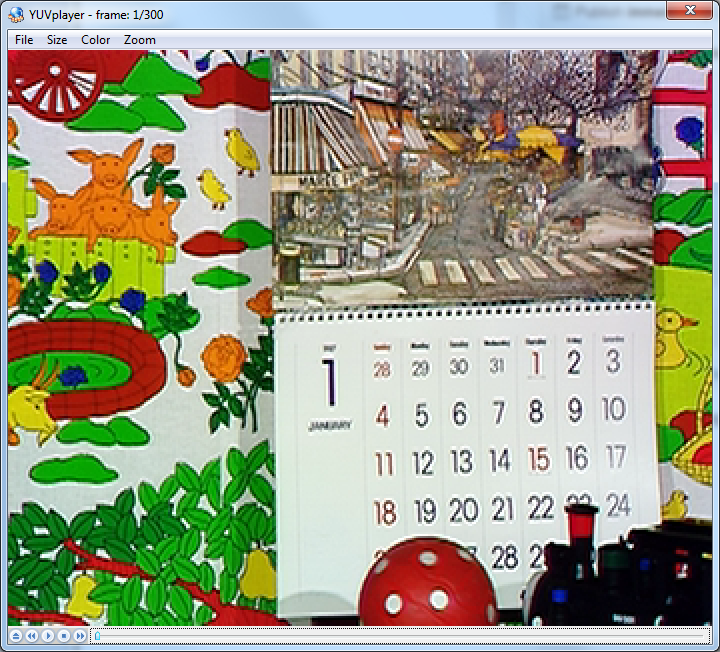
The encoding tool also conveniently made YUV file which was decoded from the HEVC stream. You can compare the original (mobile_cif.yuv) and encoded file (mobile_out.yuv).
This is the original frame.
This is the encoded frame.
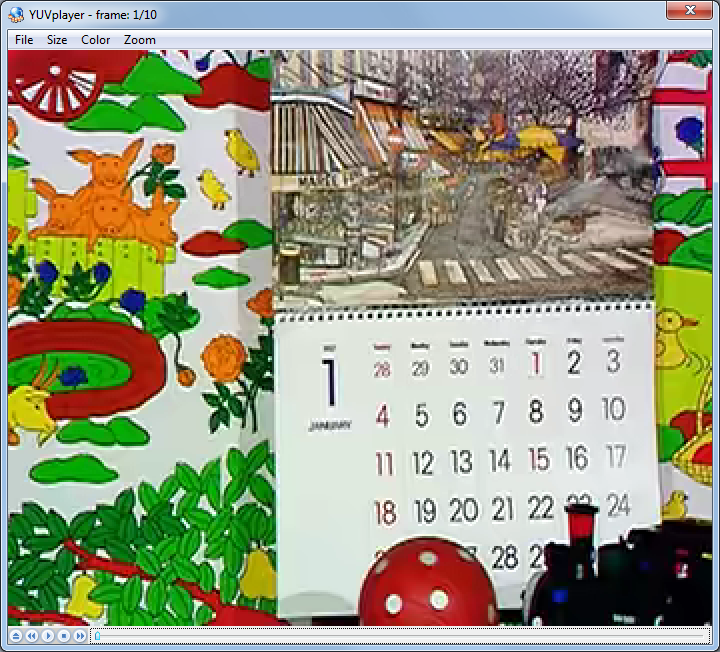
Do you see the difference? It’s doing pretty good job for 100kbps – but you can see some compression artifact here.

Configuration file
Here is the configuration file I used. Hover the mouse to right-top area to copy it.
Update: The config file was updated to the latest HM (Feb 6, 2013)
#======== File I/O =====================
BitstreamFile                 : mobile.hevc
ReconFile                     : mobile_out.yuv

FrameRate                     : 24          # Frame Rate per second
FrameSkip                     : 0           # Number of frames to be skipped in input
SourceWidth                   : 352         # Input  frame width
SourceHeight                  : 288         # Input  frame height
FramesToBeEncoded             : 10          # Number of frames to be coded

#======== Unit definition ================
MaxCUWidth                    : 64          # Maximum coding unit width in pixel
MaxCUHeight                   : 64          # Maximum coding unit height in pixel
MaxPartitionDepth             : 4           # Maximum coding unit depth
QuadtreeTULog2MaxSize         : 5           # Log2 of maximum transform size for
                                            # quadtree-based TU coding (2...6)
QuadtreeTULog2MinSize         : 2           # Log2 of minimum transform size for
                                            # quadtree-based TU coding (2...6)
QuadtreeTUMaxDepthInter       : 3
QuadtreeTUMaxDepthIntra       : 3

#======== Coding Structure =============
IntraPeriod                   : -1          # Period of I-Frame ( -1 = only first)
DecodingRefreshType           : 0           # Random Accesss 0:none, 1:CDR, 2:IDR
GOPSize                       : 4           # GOP Size (number of B slice = GOPSize-1)
#        Type POC QPoffset QPfactor tcOffsetDiv2 betaOffsetDiv2  temporal_id #ref_pics_active #ref_pics reference pictures predict deltaRPS #ref_idcs reference idcs
Frame1:  B    1   3        0.4624   0            0               0           4                4         -1 -5 -9 -13       0
Frame2:  B    2   2        0.4624   0            0               0           4                4         -1 -2 -6 -10       1      -1       5         1 1 1 0 1
Frame3:  B    3   3        0.4624   0            0               0           4                4         -1 -3 -7 -11       1      -1       5         0 1 1 1 1
Frame4:  B    4   1        0.578    0            0               0           4                4         -1 -4 -8 -12       1      -1       5         0 1 1 1 1
ListCombination               : 1           # Use combined list for uni-prediction in B-slices

#=========== Motion Search =============
FastSearch                    : 1           # 0:Full search  1:TZ search
SearchRange                   : 64          # (0: Search range is a Full frame)
BipredSearchRange             : 4           # Search range for bi-prediction refinement
HadamardME                    : 1           # Use of hadamard measure for fractional ME
FEN                           : 1           # Fast encoder decision
FDM                           : 1           # Fast Decision for Merge RD cost

#======== Quantization =============
QP                            : 32          # Quantization parameter(0-51)
MaxDeltaQP                    : 0           # CU-based multi-QP optimization
MaxCuDQPDepth                 : 0           # Max depth of a minimum CuDQP for sub-LCU-level delta QP
DeltaQpRD                     : 0           # Slice-based multi-QP optimization
RDOQ                          : 1           # RDOQ
RDOQTS                        : 1           # RDOQ for transform skip

#=========== Deblock Filter ============
DeblockingFilterControlPresent: 0           # Dbl control params present (0=not present, 1=present)
LoopFilterOffsetInPPS         : 0           # Dbl params: 0=varying params in SliceHeader, param = base_param + GOP_offset_param; 1=constant params in PPS, param = base_param)
LoopFilterDisable             : 0           # Disable deblocking filter (0=Filter, 1=No Filter)
LoopFilterBetaOffset_div2     : 0           # base_param: -13 ~ 13
LoopFilterTcOffset_div2       : 0           # base_param: -13 ~ 13

#=========== Misc. ============
InternalBitDepth              : 8           # codec operating bit-depth

#=========== Coding Tools =================
SAO                           : 1           # Sample adaptive offset  (0: OFF, 1: ON)
AMP                           : 1           # Asymmetric motion partitions (0: OFF, 1: ON)
TransformSkip                 : 1           # Transform skipping (0: OFF, 1: ON)
TransformSkipFast             : 1           # Fast Transform skipping (0: OFF, 1: ON)
SAOLcuBoundary                : 0           # SAOLcuBoundary using non-deblocked pixels (0: OFF, 1: ON)

#============ Slices ================
SliceMode                : 0                # 0: Disable all slice options.
                                            # 1: Enforce maximum number of LCU in an slice,
                                            # 2: Enforce maximum number of bytes in an 'slice'
                                            # 3: Enforce maximum number of tiles in a slice
SliceArgument            : 1500             # Argument for 'SliceMode'.
                                            # If SliceMode==1 it represents max. SliceGranularity-sized blocks per slice.
                                            # If SliceMode==2 it represents max. bytes per slice.
                                            # If SliceMode==3 it represents max. tiles per slice.

LFCrossSliceBoundaryFlag : 1                # In-loop filtering, including ALF and DB, is across or not across slice boundary.
                                            # 0:not across, 1: across

#============ PCM ================
PCMEnabledFlag                      : 0                # 0: No PCM mode
PCMLog2MaxSize                      : 5                # Log2 of maximum PCM block size.
PCMLog2MinSize                      : 3                # Log2 of minimum PCM block size.
PCMInputBitDepthFlag                : 1                # 0: PCM bit-depth is internal bit-depth. 1: PCM bit-depth is input bit-depth.
PCMFilterDisableFlag                : 0                # 0: Enable loop filtering on I_PCM samples. 1: Disable loop filtering on I_PCM samples.

#============ Tiles ================
UniformSpacingIdc                   : 0                # 0: the column boundaries are indicated by ColumnWidth array, the row boundaries are indicated by RowHeight array
                                                       # 1: the column and row boundaries are distributed uniformly
NumTileColumnsMinus1                : 0                # Number of columns in a picture minus 1
ColumnWidthArray                    : 2 3              # Array containing ColumnWidth values in units of LCU (from left to right in picture)
NumTileRowsMinus1                   : 0                # Number of rows in a picture minus 1
RowHeightArray                      : 2                # Array containing RowHeight values in units of LCU (from top to bottom in picture)

LFCrossTileBoundaryFlag           : 1                  # In-loop filtering is across or not across tile boundary.
                                                       # 0:not across, 1: across

#============ WaveFront ================
WaveFrontSynchro                    : 0                # 0:  No WaveFront synchronisation (WaveFrontSubstreams must be 1 in this case).
                                                       # >0: WaveFront synchronises with the LCU above and to the right by this many LCUs.

#=========== Quantization Matrix =================
ScalingList                   : 0                      # ScalingList 0 : off, 1 : default, 2 : file read
ScalingListFile               : scaling_list.txt       # Scaling List file name. If file is not exist, use Default Matrix.

#============ Lossless ================
TransquantBypassEnableFlag: 0  # Value of PPS flag.
CUTransquantBypassFlagValue: 0 # Constant lossless-value signaling per CU, if TransquantBypassEnableFlag is 1.

#============ Rate Control ======================
RateControl                         : 0                # Rate control: enable rate control
TargetBitrate                       : 1000000          # Rate control: target bitrate, in bps
KeepHierarchicalBit                 : 1                # Rate control: keep hierarchical bit allocation in rate control algorithm
LCULevelRateControl                 : 1                # Rate control: 1: LCU level RC; 0: picture level RC
RCLCUSeparateModel                  : 1                # Rate control: use LCU level separate R-lambda model
InitialQP                           : 0                # Rate control: initial QP
RCForceIntraQP                      : 0                # Rate control: force intra QP to be equal to initial QP

### DO NOT ADD ANYTHING BELOW THIS LINE ###
### DO NOT DELETE THE EMPTY LINE BELOW ###




 CODE: Sequoia
Is there a way to mux the HEVC stream within a MPEG-2 Transport stream?
I am not aware of existing solutions yet. The stream syntax of HEVC is similar to H.264 (NAL + byte stream format) so I would expect TS multiplexers for HEVC to be simple extension to existing ones.
Maybe Mainconcept SDK would include TS multiplexer with HEVC support. According to the press release below, it should be available in “early 2013”
http://www.rovicorp.com/company/news-center/pressreleases/1434_17072.htm
I’m also searching…
How can the 3D extension for HEVC be applied? I cannot seem to find a similar tutorial to this one. There are some examples in the README, however I keep getting an error for the input YUV file. Is the 3D extension a full encoder in itself, or does it need to be built with the HEVC base encoder?
Hi Codey, sorry I am not informed enough to answer the questions. Interesting questions, though.
Hi Moto.
Have You any new information about how to run 3d – hevc software? I can’t find tutorial too.
Hi Codey, did you ever find a tutorial on how to use the 3D extension for HEVC?
Thanks for this tutorial.
I tried to do the same, without building the sources (I haven’t Visual Studio). I’m using this release (HM9.2 and HM10Rc) :
http://x264.fushizen.eu/builds/hevc-hm/
But I can’t encode your video example, I try to give you the snapshot of the errors
https://docs.google.com/file/d/0B5K_ZbDKhOviUkRJQ05EN1RsOWs/edit?usp=sharing
So is it a problem from my release or a “option” who has changed ?
Hi Nelson,
Yes, the configuration syntax has been changed. I just updated the example configuration above to match the latest HM. Hope it works!
Thank you so much
It works well
I’ve done my first HEVC file 🙂 🙂 🙂
I’ve to study the config file now !!!
Hi
I tried to follows your tutoriel but can’t build encoder
With the reposity of Fraunhofer need a password, so I went on this one :
http://hevc.kw.bbc.co.uk/git/w/jctvc-hm.git
With the HM9, It build sucessfully BUT there’s no EXE file in the release directory 😦 Only directories, obj files, idb file…
With the HM10, build failed with the 7 following errors…
I really want to try this encoder, could you help me ?
Build started 06/02/2013 09:45:25.
Project “M:\Logiciels\HEVC-H265\Sources\jctvc-hm\build\HM_vc10.sln” on node 0 (default targets).
Building solution configuration “Release|Win32”.
M:\Logiciels\HEVC-H265\Sources\jctvc-hm\build\vc10\TAppDecoder_vc10.vcxproj(3,14): error MSB4066: L’attribut “Label” de l”l’ment n’est pas reconnu.
M:\Logiciels\HEVC-H265\Sources\jctvc-hm\build\vc10\TAppEncoder_vc10.vcxproj(3,14): error MSB4066: L’attribut “Label” de l”l’ment n’est pas reconnu.
M:\Logiciels\HEVC-H265\Sources\jctvc-hm\build\vc10\TAppCommon_vc10.vcxproj(3,14): error MSB4066: L’attribut “Label” de l”l’ment n’est pas reconnu.
M:\Logiciels\HEVC-H265\Sources\jctvc-hm\build\vc10\TLibCommon_vc10.vcxproj(3,14): error MSB4066: L’attribut “Label” de l”l’ment n’est pas reconnu.
M:\Logiciels\HEVC-H265\Sources\jctvc-hm\build\vc10\TLibDecoder_vc10.vcxproj(3,14): error MSB4066: L’attribut “Label” de l”l’ment n’est pas reconnu.
M:\Logiciels\HEVC-H265\Sources\jctvc-hm\build\vc10\TLibEncoder_vc10.vcxproj(3,14): error MSB4066: L’attribut “Label” de l”l’ment n’est pas reconnu.
M:\Logiciels\HEVC-H265\Sources\jctvc-hm\build\vc10\TLibVideoIO_vc10.vcxproj(3,14): error MSB4066: L’attribut “Label” de l”l’ment n’est pas reconnu.
Done Building Project “M:\Logiciels\HEVC-H265\Sources\jctvc-hm\build\HM_vc10.sln” (default targets) — FAILED.
Build FAILED.
“M:\Logiciels\HEVC-H265\Sources\jctvc-hm\build\HM_vc10.sln” (default target) (1) ->
(TAppDecoder target) ->
M:\Logiciels\HEVC-H265\Sources\jctvc-hm\build\vc10\TAppDecoder_vc10.vcxproj(3,14): error MSB4066: L’attribut “Label” de l”l’ment n’est pas reconnu.
“M:\Logiciels\HEVC-H265\Sources\jctvc-hm\build\HM_vc10.sln” (default target) (1) ->
(TAppEncoder target) ->
M:\Logiciels\HEVC-H265\Sources\jctvc-hm\build\vc10\TAppEncoder_vc10.vcxproj(3,14): error MSB4066: L’attribut “Label” de l”l’ment n’est pas reconnu.
“M:\Logiciels\HEVC-H265\Sources\jctvc-hm\build\HM_vc10.sln” (default target) (1) ->
(TAppCommon target) ->
M:\Logiciels\HEVC-H265\Sources\jctvc-hm\build\vc10\TAppCommon_vc10.vcxproj(3,14): error MSB4066: L’attribut “Label” de l”l’ment n’est pas reconnu.
“M:\Logiciels\HEVC-H265\Sources\jctvc-hm\build\HM_vc10.sln” (default target) (1) ->
(TLibCommon target) ->
M:\Logiciels\HEVC-H265\Sources\jctvc-hm\build\vc10\TLibCommon_vc10.vcxproj(3,14): error MSB4066: L’attribut “Label” de l”l’ment n’est pas reconnu.
“M:\Logiciels\HEVC-H265\Sources\jctvc-hm\build\HM_vc10.sln” (default target) (1) ->
(TLibDecoder target) ->
M:\Logiciels\HEVC-H265\Sources\jctvc-hm\build\vc10\TLibDecoder_vc10.vcxproj(3,14): error MSB4066: L’attribut “Label” de l”l’ment n’est pas reconnu.
“M:\Logiciels\HEVC-H265\Sources\jctvc-hm\build\HM_vc10.sln” (default target) (1) ->
(TLibEncoder target) ->
M:\Logiciels\HEVC-H265\Sources\jctvc-hm\build\vc10\TLibEncoder_vc10.vcxproj(3,14): error MSB4066: L’attribut “Label” de l”l’ment n’est pas reconnu.
“M:\Logiciels\HEVC-H265\Sources\jctvc-hm\build\HM_vc10.sln” (default target) (1) ->
(TLibVideoIO target) ->
M:\Logiciels\HEVC-H265\Sources\jctvc-hm\build\vc10\TLibVideoIO_vc10.vcxproj(3,14): error MSB4066: L’attribut “Label” de l”l’ment n’est pas reconnu.
0 Warning(s)
7 Error(s)
Hi Nelson,
Could you double check a few points:
1. Fraunhofer subversion doesn’t require a password. It may ask if you want to accept their public certificate for the first time, though.
2. The built binary should be in bin\vc9\Win32\Release folder.
3. To build VC10 solution, you need to use Visual Studio 2010 command line prompt. If you are in Visual Studio 2008 command line prompt, error MSB4066 happens.
Hope it helps!
Thanks for help, here my answers :
1) turtoiseSVN ask for a password. When I access directly by web, no need. But it’s complicated to download 😉
2) Thanks, you’re right I have searched in \build\vc9\Win32\Release. Sorry
3) I didn’t know that I’ll maybe try to find the Visual Studio 2010
So thanks a lot for your answer.
But it’s not finished 😦
With the VC9 release, I’ve tried again and i’ve got this error “The last frame in each GOP must have temporal ID = 0 ”
If you have a start of answer
Hi Moto,
Could we use Visual Studio 2012 to build VC10 solution?
Thank you for this post!
Yes. I have successfully built with VS2012 with the following command line:
% msbuild /p:Configuration=Release HM_vc10.sln
Please make sure to run it from “Developer Command Prompt for vs2012”.
can somebody help me please. I am doing a masters diploma about comparison about H.264 and H.265 codecs. Can somebody pls give me some pointers. pls send me an e-mail to damjan.jarc@hotmail.com pleaseee. I would we very happy of your help
Probably you have read thisalready but the overview written by Gary Sullivan is always a good start: http://iphome.hhi.de/wiegand/assets/pdfs/2012_12_IEEE-HEVC-Overview.pdf
Thank you moto i have already read this yes it’s a good article.
Here is the thing :
I will make a video of my own. I will convert this video with H.264 codec ( with AVS video converter program ). For converting a video with HEVC H.265 there is no program yet. So i need some program to convert my video with HEVC H.265 codec. Can anyone pls advise me how to do it ? Then when i will have a video of boath as H.264 and H.265 coded then i need some program which will evaluate each of videos and let me know the possible differents about those two videos such as size of video, bit rate, FPS etc….
any ideas ?
The best way is (I gess) convert your video in YUV (non compress)
From this new source, make your h264 and your h265 (follow this post). Take care to keep some comparaison element (exemple same Bitrate)
After that, do the reverse operation and make 2 new yuv files (the yuv form h264, and the yuv from h265). It’s uncompressed but you keep the artefacts of compression.
To compare the two quality of images use MSU quality measurement it’s free for non commercial use.
Hope I help you
Hello thanks for you quick reply. But does YUV offers a convert with HEVC ( H.265 ) codec ?
Where could I find the file that contains the statistics for the last encoded sequence? Just like in JM Reference Software wherein it has a stats.dat
Sorry, I don’t know. The encoder prints out PSNR of each plane (Luma, Cb, Cr) to the console but I guess you are looking for more than that.
Hi Moto
Another question. Do you know how to change the quality of the encoding ? I tried to activated the rate controle and change the bitrate (in the config file) : no change
I also tried to change the QP in the quantification part of the config file : no change
So if you’ve a clue, I really appreciate
See you.
I made two configurations based on the example in the post.
# 100 kbps configuration
RateControl : 1 # Rate control: enable rate control
TargetBitrate : 100000 # Rate control: target bitrate, in bps
# 1000 kbps configuration
RateControl : 1 # Rate control: enable rate control
TargetBitrate : 1000000 # Rate control: target bitrate, in bps
With the source file in the post, I could tell the difference by looking at the decoded frame image. For PSNR wise, in 100kbps configuration, the luma PSNR of the first frame was 28.8dB while it was 33.5 dB in 1000kbps configuration.
So, I could not recreate your problem.
So thank you… I will retry very much for your time
does anyone during building in CMD gets MSB 3411error ? does anyone know what it would mean ?
HI, is there an equivalent way to get the baseline profile with the HEVC reference software? It seems that Main, Main10 and Main Still are the chosen HEVC profiles, but I would like an I-P-P-P-P .. output. Any ideas please?
Thanks
Hi Codey, would the a configuration file below work to make I-P-P-… sequence? It’s a part of HM package:
trunk\cfg\encoder_lowdelay_P_main.cfg
I was able to encode the video. How to interpret the results. What does bitrate mean( in results).
Bitrate shown in the console output of TAppEncoder.exe is the number of bits produced divided by the duration in seconds.
Do you have a tutorial on how to convert a JPEG to a HEVC encoded image? I’ve seen articles on this, but no one has ever explained how they did it. Thank you in advance.
No, but I am curious why you would want to do that. JPEG is designed for still image while HEVC is for video. As HEVC is the latest and greatest standard, do you expect intra frame compression algorithm of HEVC to beat JPEG compression? I don’t know but it might. Why don’t you decode JPEG to uncompressed single frame YUV file and feed it to HM encoder?
There are articles and papers about how HEVC is better than both JPEG and JPEG 2000 in terms of compression. (Here’s a link to one of the articles if you are interested:
http://forum.doom9.org/showthread.php?t=167235
I also have a few papers; here’s a link to one:
https://ieeexplore.ieee.org/xpl/login.jsp?tp=&arnumber=6411873&url=http%3A%2F%2Fieeexplore.ieee.org%2Fxpls%2Fabs_all.jsp%3Farnumber%3D6411873)
Thank you for the suggestion. I’ll look into that; I didn’t know the HM encoder would accept a single frame. If you have any suggestions/tips on how to do that, it’d be greatly appreciated.
Hi,
I’m new to svn commands, and I’m stuck at Step 1 with the following message:
C:\Program Files\SlikSvn\bin>svn co https://hevc.hhi.fraunhofer.de/svn/svn_HEVCS
oftware/trunk
svn: E720005: Can’t create directory ‘C:\Program Files\SlikSvn\bin\trunk\.svn’:
Access is denied.
Could anyone please assist me in this matter?
Hi, it’s probably because you do not have write access permission to C:\Program Files. How about making a new directory at C: drive root and check out the source code there?
Try:
C:\Program Files\SlikSvn\bin>cd C:\
C:> mkdir hevc
C:> cd hevc
C:\hevc> PATH %PATH%;‘C:\Program Files\SlikSvn\bin\
C:\hevc> svn co https://hevc.hhi.fraunhofer.de/svn/svn_HEVCSoftware/trunk
Hi Moto, cool it solves my previous problem. Thanx man. But now I have the following error message:
C:\hevc>svn co https://hevc.hhi.fraunhofer.de/svn/svn_HEVCSoftware/trunk
svn: E175002: Unable to connect to a repository at URL ‘https://hevc.hhi.fraunho
fer.de/svn/svn_HEVCSoftware/trunk’
svn: E175002: OPTIONS of ‘https://hevc.hhi.fraunhofer.de/svn/svn_HEVCSoftware/tr
unk’: SSL handshake failed: A connection attempt failed because the connected pa
rty did not properly respond after a period of time, or established connection f
ailed because connected host has failed to respond.
(https://hevc.hhi.fraunhofer.de)
I think it’s because of the weekend, and any attempt to the HHI server is temporarily blocked. I will try again on Monday/Tuesday and hopefully be able to code my first hevc stream…
@nelson: I was reading your comments and it seems that you able to run your first HEVC stream. i am also working on this on a semester project but i am not able to make it yet …i am really confused and need some help as i don’t have much time to submit my output results….can you send me your files as well as your outputs results to me ASAP please….
I will be very thankful to you,
My email id is jawad@jawadnaqvi.com
Sorry I was on Holidays. I don’t know if my answer come to late. Let me know if you already needs my files
thanks for your reply,yes i need your files as i am still not successful.If I will have your files and you can briefly guide me through this, that will be highly appreciated. please send asap Nelson, Thanks.
jawad@jawadnaqvi.com
Hi NELSON
I need your YUV output file and configuration file.if you send me that.it would be helpful for me.
thanks imtiaz and Jawad
Jawad@jawadnaqvi.com
imtiazmcs@hotmail.com usaks.ca
Hi,
Do you know if there is a way to config the HM encoder for integer ME, half pel ME and quarter-pel ME separately?
Hello,
Your article was a great help. Can you please let me know which parameters in the config file will affect:
1. PSNR
2. Bit-rate
3. Total Time consumed.
Thanks.
Thank you so much for such a helpful document.
@rb8888: use ffmpeg to convert your image to yuv:
ffmpeg -i image.jpg -pix_fmt yuv420p -vcodec rawvideo image.yuv
then convert it with HM as any other YUV-File…
Hi,
Thanks for the information about how to encode HEVC for Visual studio platform.I followed your instructions and I succeeded in getting my TAppEncoder.Exe in the bin folder.But when I try to encode it with an input YUV video I am not getting anything except an error.
https://docs.google.com/file/d/0B0aerFw_tJZ5QzdXdVljOFUxX0E/edit?usp=sharing
Please help me with this.
I guess that % symbol isn’t required there. Try simply TAppEncoder.exe and let me know if it works fine.
Hi Pranav,
Thanks for your reply.I did without that % symbol also.It didn’t work.When simply try TAppEncoder.exe it just shows up a command prompt for 2 secs running some code so fast and then disappears.It doesn’t stand there.Any suggestions
I have made a batch file and I execute it in command prompt. That is working fine with me.
TAppEncoder.exe -c encoder_lowdelay_P_main.cfg -c foreman.cfg
pause
Hi Pranav,
It didn’t work yet 😦
I am afraid there is some problem with the installation files in that case. However, make sure that both the configuration files (.cfg) are in the same folder as the TAppEncoder.exe files are. Plus, you change your directory to the correct place (cd C://users/sodhanipranav/desktop/hevc/hm-11.0/bin//vc8/win32/debug : in my case) while using cmd.
I will try your suggestion Pranav,Thanks for that.I need to know how to compile, debug and see the encoded video of HEVC HM tool both from command prompt as well as from the GUI part.What are the necessary commands to run the HM tool in visual studio platform.I think it is possible to modify the VC++ codes but the changes are not reflecting inside the code.I don’t know what error I am doing here.Could somebody please advice me on this
Hi Ido,
Thi s is a very useful article for someone like me, who is starting practice with HEVC. I tried it as well and it works! There is one thing Im thinking about though:
1) With your configuration file two output files are created: mobile.hevc (bitstream encoded file) and the decoded output file mobile_out.yuv.
Does it mean that if we want to have a decoded file from the bitstream, we don’t have to decode cause it is done anyway (and we get mobile_out.yuv)?
Thanks for the reply
Yes, HM (The reference implementation of HEVC) conveniently generates an encoded-then-decoded file as well as the encoded file. This is useful feature for video quality comparison between before and after the encode.
If you think of the internal architecture of HEVC encoder, this may also make sense because temporal prediction is done based on a encoded-then-decoded reference frame as opposed to an original video frame. In other words, HEVC encoder needs to have a HEVC decoder in it. Though I didn’t look into the HM source code, the decoded file (mobile_out.yuv) is probably just an output dump of this internal decoder.
Moto, thanks for confirming that. I thought so as well. In that case after encoding we’ve got that is needed to do the comparison: original file, encoded bitstream and decoded file (as a matter of fact a by-product f the encoder).
Regards
Hi Pranav,
I got the video encoded using both methods viz command line as well GUI part.It took a while to figure out whats exactly happening inside the visual studio solution vc10 🙂
Cheers,
Great ! 🙂
Hi Gangadharan,
i need to debug the HM codec with some modifications, can you tell me the settings or steps for have to do to start debugging using visual studio 10. I have done the compression viz command line. Can you tell the steps to do using GUI in visual studio 10.
Hello,
I want to configure a GOP of size 16, but I cannot make it work. I have a lot of errors, and I don’t know what is wrong. If someone could help me I would appreciate, because I am really stuck here.
Thank you
Hi everyone,
I have to implement watermarking in HEVC video codec, so for that i need to understand the code first fully. But there is no documentation that explains the code. Please help me..
Hi pankajsachan,
I am also try to implement watermarking in HEVC video codec, so could you work together. Thanks
Hello Moto and Przemek,
I have a question regarding your conversation ,1st thing when we are using an encoding tool called tapencoder.exe how cum mobile_out be the output of decoder.??? And in the the encoder tools I dint find any header file that includes the decodercnfg ,without using any of the decoder tools how can we say that its a decoder output?? As u said before HEVC encoder have HEVC decoder in it…why do we need all the decoder tools??
Can u please explain me…
It’s because the encoder make 2 files : one is a compressed video (an Hevc file) and after that decode it in an uncompressed file .yuv.
The yuv file is really usefull, because you can analyse the quality of the coded file even if your analyser is not HEVC compliant.
Hi there,
Nelson, I saw what you wrote very interesting. But in this conversation between you and Anjali, I would like to know something.
If with “TAppEncoder.exe -c test.cfg -i mobile_cif.yuv”, we got the compressed video (.hevc) and the uncompressed one (.yuv).
So if we want to come back to have the origin video which is not encoded (composed for sure just from the number of frames already encoded) using “TAppDecoder.exe”, what we should do?
Thank you…
Hi martin (or carole8martin)
So in the config file you have a reconstruc option :
#======== File I/O =====================
BitstreamFile : mobile.hevc
ReconFile : mobile_out.yuv
by this option the coder call the TAppDecoder (or the same code included, I’m not sure) and decode the frames you coded
So you can use TappDecoder if you didn’t use the option or to decode a part of the stream
Hope that answers your question
Hi there,
Nelson, I saw what you wrote very interesting. But in this conversation between you and Anjali, I would like to know something.
If with “TAppEncoder.exe -c test.cfg -i mobile_cif.yuv”, we got the compressed video (.hevc) and the uncompressed one (.yuv).
So if we want to come back to have the origin video which is not encoded (composed for sure just from the number of frames already encoded) using “TAppDecoder.exe”, what we should do?
Thank you…
Hello,
Thank you for the response,I have few more questions,what is the name of the algorithm to encode?? and after step 3 its taking 15 – 16min to get the output file usually how long will it take??
HEVC uses many algorithms so we cannot identify “one” algorithm.
The encoding time sounds right to me. HM, the reference implementation of HEVC standard, is very slow. The purpose of the reference implementation is to make sure the standard is implementable and it is not the purpose to provide a production quality encoder. Codec companies often produce optimized encoders for decent price. For example, there are 1080p60 software based real time HEVC encoder:
http://www.hhi.fraunhofer.de/fields-of-competence/image-processing/solutions/hevc-software-and-hardware-solutions/hevc-real-time-software-encoder.html
Hi,
I am just tryingto create a HEVC stream with two frames with 64×64 as CTU size. Each of CTU should not have any smaller CU’s than 64×64(ie entire frame should consist of 64×64 CTU’s & 64×64 CU’s inside CTU.). But i am not able to do it using HM encoder.Can any one sugest how to do create a stream as mentioned above??If any file has to be modified inside HM encoder then what needs to be modified.
Hi Chetana,
Have you figured out the reason for this problem? In case if you haven’t, my quick answer would be that most video resolutions would not divide into an integer number of 64×64 pixels. For example, a luma resolution of 1920×1080 / 64×64 would give 30 horizontal and 16.875 vertical 64×64 CUs, which does not make sense. You also need to consider the size of the chroma frames that is half of the luma counterpart, i.e. 960×540 in this case for a 4:2:0 profile. Thus, HEVC requires a combination of 64 & 32 &/ 16 &/ 8 CTU to encode and decode a frame successfully.
Hey everyone…specially Moto … i need help … how to use HTM8.0 in Linux… kindly tell me the step by step guide , as i am new to this software… i will use the software first time..
Hello,
Can anyone please tell me how can I download HEVC HM?
Firstly, my tutor asked me to enter a video in this program to see the difference in size between input and output. Then this program should display somewhere the PSNR.
Any idea? And thx.
what is a TAppdecoder..??
Hey hi… Thank u so much for dis amazing post! I downloaded HM reference software 9 and it worked brilliantly… But its been so long and I tried repeating the same steps for HM 12… I am not getting it done 😦 It throws out an error “Failed to open test.config file”. Moreover I will be very thankful if someone can get me some tips on working on the GUI part for the reference software… Thanks in advance
Hi Nirmal
The reference coder is very slow (about 1500 real time in HD)
If you prefere GUI interface Divx as a trial of divx10 who is hevc (don’t forget to select it during the installation). In it you can select profile behind very slow to very fast (not same quality of course)
I am new to HEVC. This question may seem silly, but how to get the Summary of whole Encoding Process? Like, About the PSNR values of Y, U, V etc?
Hi I answered in Linkedin but it could help here to
Just after your encoding process you will see this information in your cli window
If you want it in a log file just add >>logFile.txt
example :
HM_exe -c configfile -i SourceYUV -b Output.hevc >>Output_log.txt
Hope it help
The CLI Window closes as soon as the Encoding is Over. Is there any way to prevent it from Closing. I am building HM Source in Microsoft Visual Studio 2008.
Thanks a lot for the reply Nelson. But if I use >>logFile.txt I am getting an error like “Unhandled Argument Ignored”
Hi nelson
have tried to add Output_log.txt but i am getting this warning.
C:\trunk-4719\trunk\bin\vc2010\Win32\Debug>TAppEncoder.exe -c encoder_randomaccess_main.cfg -i Cactus_1920x1080_50.yuv -b rand.yuv >>Output_log.txt
******************************************************************
WARNING: –SEIDecodedPictureHash is now disabled by default. **
** Automatic verification of decoded pictures by a **
** decoder requires this option to be enabled. **
******************************************************************
***************************************************************************
** WARNING: For conforming bitstreams a valid Level value must be set! **
***************************************************************************
SEIDecodedPictureHash is in the TAppEncCfg.cpp i tried to change to 1 2 and 3 but nothing still same warning….
will you please help
I got the answer myself. I was so simple. I just toggled a Breakpoint before the closing braces of main function and the console stopped itself from closing. Thanks for the support once again and if I have any queries in future, please help me.
I encoded whole a YUV file using HM. But when I open the result of the encoded ouput or Decoded ouput using YUV player, I am getting blue lines, the video is not able to play properly. Can someone help me in this?
Hi,
Christina, did you enter the resolution of the video in your YUV player (in size menu)
This informations are not included in the file, so the player can’t play well if you don’t enter it
Hope it helps
Hi !
Hey thanks for the post!! It’s very useful 🙂
Look, i been doing some compressions with the HM reference 13 and all its ok until i put a 4k video to compress with the RandomAccess configuration file, when i compress a 1080p video with random access doesn’t appear any error window but in every video on 4k (5 videos) in yuv format 4:2:0 or 4:2:2 in 25, 30, 50 fps i got an error window that says :TAppEncoder stop working… I don’t get it, if with All Intra it works why with 4k video in random access or Low Delay doesn´t work, please if you know some aspects of the codec that could break the process on 4k video tellme
Thanks !
(Sorry for my english)
I have successfully encoded 3840 x 2160 YUV file with HM 14 on Linux (32 bits) with the configuration file in this article with just SourceWidth/SourceHeight parameter modified.
The memory usage is about 1.6GB in my case. You may want to check the private memory usage of the TAppEncoder.exe process. Assuming you compiled it as 32 bits executable (which is probably the default), if the private memory usage hits 1.5GB or so, I would suspect the process is running out of the process address space which is 2GB.
I used “Cobra” YUV file below:
http://www.harmonicinc.com/resources/videos/4k-video-clip-center
Hi Moto! Thanks for the reply 🙂
I used this configuration file too without problems, this configuration uses a GOP estructure that is ok for UHD 4K videos, the problem that i am experiencing is with other configuration file, if you want to try this, you can take the configuration file in the folder “cfg”, this folder is inside of the folder of the encoder and in “cfg” you will find some other configuration files that are used for video conference or tv broadcasting examples, my problem is with this cfg file : encoder_randomaccess_main.cfg, when i change the SourceWidth/SourceHeight parameters and start to encode, the encoder stops when finishes the first round of the GOP, but when i encode a 1080p video with the same cfg file, just modifying the SourceWidth/SourceHeight parameter its encode all the frames…
Please let me now if you can encode the file Cobra.yuv with the encoder_randomaccess_main.cfg 🙂
Hi nelson, thank you so much for this wonderful post on how to make my first HEVC stream. When i run the command prompt to encode the stream I get this error –> “Failed to open test.config file”. I would appreciate if I can get some help on this matter. Thank you in advance 🙂
I have tried to run the program. actually, I have successfully executed the file VC9 using visual studio 2010. unfortunately, I couldn’t do step 3 and 4. I’m using windows 7. could you please help me to finish them. Thank you
Someone are having problems encoding a UHD 4K video with the Random Access Configuration file ?? With all my test videos in 4k the encoder crash when finishes the first GOP 😦
but with other resolutions the encoder run ok 😦
Please help 🙂
I don’t have an environment to test it out right now but did you check the memory usage of the process? If you compiled the executable as 32 bits process, chances are high that you hit the out of memory situation.
Great News!!! I compiled the executable as a 64 bits process and compare the memory usage for both process encoding a 4k video and for both the memory usage was around 1.6 GB and was a quite interesting that the 64 bits executable was faster enconding, and IT WORKS 😀 now i’m encoding finally with the Random Access config 😀
Thank you so much for your help !! 🙂
Psdta: TAppEncoder is using 2.5 GB of memory and still working 🙂
Hi I am new in this trying to impliment but in step 4 The encoder tool TAppEncoder.exe which should be located in trunk/bin/vc9/win32/release but it is not there. I am using visulastudio 8
Thanks.
I run that sample but it took long time to encode it. Is it normal?
How did you create that config file, is that video’s file or you did it.
I wouldn’t be surprised if it takes multiple minutes to encode a less than one minute sequence. The config file was copied from an example configuration file in the HM source tree.
https://hevc.hhi.fraunhofer.de/svn/svn_HEVCSoftware/trunk/cfg/
Thanks for answering.
I m encoding videos like your sample, but there is no change in size.
There are artifacts like your example but sizes are the same on input and output videos.
Am i doing something wrong?
On my 8 core, I take 1500 times the real time in HD
Don’t worry, it’s not an optimised codec, and HEVC is asymetric, the coder is quite more complicated than the decoder
Is there a way to calculate SSIM using this reference software?
I don’t think so. It has implemented PSNR in TEncGOP::xCalculateAddPSNR() function, though.
Hey someone help me to get out from this loop 😦 ..I am following the given steps. I am not getting TAppEncoder.exe. I am getting TAppEncoder folder at vc9/win32/release. and in which BuldLog. Please help me to get .exe file
Hey, everybody
I was asked to secure the video streaming based on HEVC syntaxes, but unfortunately it is a new for me. I have read some paper about video streaming security.
So really, I need a help to start my first step
Could anyone help, by directing me how can I install and implement HEVC on windows 8.
THANK YOU SO MUCH
hi your article is very helpful. I am working on motion estimation module of HEVC (HM-14) for my thesis.
Right now I have learnt that TZ search that is combination of diamond and raster search is used for ME but I have many questions
firstly how to understand configration file. I mean is it different for every other video sequence.
secondly which part of code HM 14 implement ME ( or TZ search).
Hi there… I have successfully make a hevc stream, but now i have a problem. I am trying to make a fact that if you encode the income yuv file with this HM Source tree, the size of the income video is about 50% smaller but the quality stays the same… The income yuv file is about 40Mb, but outcome yuv file is about 1,5Mb which i find strange. How could i make it to be aroun 20mb big by changing the parametrs in test.cfg FILE ??? I really need to get a half size of income yuv file…. Pls if anyone known with changing WHICH parameters i would achieve that i woul be very vey thankful..
Regards,
Damjan
One of the objectives of H.265/HEVC is to achieve around 50% less bitrate when compared with the previous standard, i.e. H.264/AVC at an equivalent quality level. For e.g., we might obtain around 3.0Mbps with H.264/AVC and 1.5Mbps using H.265/HEVC using similar test parameters. One of the ways to adjust these results is by changing the QP values.
Can you tell me exactly which paramter should i change to get the results as i want.
Dear moto,
I am beginner to HEVC and working in this domain for my research work. I have basic theoretical knowledge; but absolutely no practical exposure to this.
This document is a very useful, informative guide. (thanks)
I guess, I have done well with Step-0, 1 and 2; but I am stuck up in Step-3..
I am NOT able to locate “trunk/bin/vc9/win32/release”; NOT able to find “bin/” under ‘trunk/’ itself. (I will prefer vc8, since I will go for visual studio 2008).
Can you help me in this??
I am also facing the same problem.. It will be really good if someone help us..!! Thank You in advance..!!
Does anybody working on SHM Software?
thanks for the tutorial
Hi ,
Does any on know how can I download all the folders and sub folders of 3D-HEVC from this website?
Since they put all the folders in a link it is not possible to download all of them at once.
https://hevc.hhi.fraunhofer.de/svn/svn_3DVCSoftware/
Thanks.
Hello,
I am confused about the reference_idcs that’s used in the HM configuration file. So, can anybody explain to me exactly how it’s generated?
For example, if we have the typical IPPP GOP structure (GOP size = 4), where the references look like the following:
I-> P -> P -> P…etc
What will be the reference Idcs in this case?
hello ,
i am working on HEVC and need trace file. how to get a trace file.
Hello,
I faced the same problem, I will be grateful if you tell me if biensure you have found a solution.
Thank’s
theres a module named packetizer_hevc under videolan but am unable to use it…i guess it would solve the problem
Hi,
Is there any tutorial available regarding HEVC main still picture profile configuration?
Regards,
Deepu Philip
Hi,
Thank you for the lesson, but I have a question
What cmd command did you type to decode the file? because I only got the encoded file!.
Thanks
Hi. I would like to build those reference software on xilinx zynq 7000. Do you know how to do that? Which one of file in the build folder need I make? I only see the usable for linux, windows, visual studio.
Hi everybody
Im implementing a new way for motion estimation in hevc , but I don’t know which part of code must be change. In other word which part of c code describe motion estimation. Thanks for your help.
Hii, Can you please help me figure out how to fetch CTU depth, Motion vectors, Bits allocation per CU, and also what command should I type in VS cmd to run decoder. As in for encoder we write
TAppEncoder.exe-c test.cfg -i mobile_cif.yuv to run encoder file. What should I write for Decoder.
Any help would be appreciated!!!
Hi
Have you been able to find a solution to your query? Even am new to this domain. Will appreciate any leads. Also, how much time does it take to encode a 10 sec video? For me it’s taking more than 2-3 hrs.
Error : The last frame in each GOP must have temporal ID=0,
how to solve this issue.
thankyou
Hi Venkatsai,
I have the same problem, have your solved it out?
Hi
I wanted to know how much time does it take to encode the yuv file? It’s been more than an hour and it’s still running.
All, i build HM 2013 using visual studio 2013 using following command…
% msbuild /p:Configuration=Release HM_vc2013.sln
But when i tried to encode it i got the error for unknow option, i believe that could be change in syntax. Could anyone please help me with this error and if that is syntax error what would be the new syntax?
D:\HM-16.15\bin\vc2013\Win32\Release>TAppEncoder.exe -c test.cfg -i mobile_cif.y
uv
HM software: Encoder Version [16.15] (including RExt)[Windows][VS 1800][32 bit]
test.cfg:31 error: Unknown option `ListCombination’ (value:`1′)
test.cfg:50 error: Unknown option `DeblockingFilterControlPresent’ (value:`0′)
test.cfg:107 error: Unknown option `CUTransquantBypassFlagValue’ (value:`0′)
Hi Dhira,
I also have got these errors while encoding. In your program on particular error line give a # symbol. You will get it!
Hi, Thanks for the information. I have successfully encoded a .yuv file.
Can you please let know if there is an way to enable tiles while encoding.
Regards,
Hi,
Thanks for your this article. great one in the web. I have a question. how do you solve this error? “Error: The last frame in each GOP must have temporal ID = 0”
Warmest Regards,
#======== File I/O =====================
BitstreamFile : mobile.hevc
ReconFile : mobile.yuv
#======== Profile ================
Profile : main
FrameRate : 24 # Frame Rate per
FrameSkip : 0 # Number of frame
SourceWidth : 352 # Input frame width
SourceHeight : 288 # Input frame height
FramesToBeEncoded : 10 # Number of frame
#======== Unit definition ================
MaxCUWidth : 64 # Maximum coding
MaxCUHeight : 64 # Maximum coding
MaxPartitionDepth : 4 # Maximum coding
QuadtreeTULog2MaxSize : 5 # Log2 of maximum
# quadtree-based
QuadtreeTULog2MinSize : 2 # Log2 of minimum
# quadtree-based
QuadtreeTUMaxDepthInter : 3
QuadtreeTUMaxDepthIntra : 3
#======== Coding Structure =============
IntraPeriod : 1 # Period of I-Frame ( -1 = only first)
DecodingRefreshType : 1 # Random Accesss 0:none, 1:CRA, 2:IDR, 3:Recovery Point SEI
GOPSize : 1 # GOP Size (number of B slice = GOPSize-1)
ReWriteParamSetsFlag : 1 # Write parameter sets with every IRAP
# Type POC QPoffset QPfactor tcOffsetDiv2 betaOffsetDiv2 temporal_id #ref_pics_active #ref_pics reference pictures
#=========== Motion Search =============
FastSearch : 1 # 0:Full search 1:TZ search
SearchRange : 64 # (0: Search range is a Full frame)
HadamardME : 1 # Use of hadamard measure for fractional ME
FEN : 1 # Fast encoder decision
FDM : 1 # Fast Decision for Merge RD cost
#======== Quantization =============
QP : 32 # Quantization parameter(0-51)
MaxDeltaQP : 0 # CU-based multi-QP optimization
MaxCuDQPDepth : 0 # Max depth of a minimum CuDQP for sub-LCU-level delta QP
DeltaQpRD : 0 # Slice-based multi-QP optimization
RDOQ : 1 # RDOQ
RDOQTS : 1 # RDOQ for transform skip
#=========== Deblock Filter ============
LoopFilterOffsetInPPS : 1 # Dbl params: 0=varying params in SliceHeader, param = base_param + GOP_offset_param; 1 (default) =constant params in PPS, param = base_param)
LoopFilterDisable : 0 # Disable deblocking filter (0=Filter, 1=No Filter)
LoopFilterBetaOffset_div2 : 0 # base_param: -6 ~ 6
LoopFilterTcOffset_div2 : 0 # base_param: -6 ~ 6
DeblockingFilterMetric : 0 # blockiness metric (automatically configures deblocking parameters in bitstream). Applies slice-level loop filter offsets (LoopFilterOffsetInPPS and LoopFilterDisable must be 0)
#=========== Misc. ============
InternalBitDepth : 8 # codec operating bit-depth
#=========== Coding Tools =================
SAO : 1 # Sample adaptive offset (0: OFF, 1: ON)
AMP : 1 # Asymmetric motion partitions (0: OFF, 1: ON)
TransformSkip : 1 # Transform skipping (0: OFF, 1: ON)
TransformSkipFast : 1 # Fast Transform skipping (0: OFF, 1: ON)
SAOLcuBoundary : 0 # SAOLcuBoundary using non-deblocked pixels (0: OFF, 1: ON)
#============ Slices ================
SliceMode : 0 # 0: Disable all slice options.
# 1: Enforce maximum number of LCU in an slice,
# 2: Enforce maximum number of bytes in an ‘slice’
# 3: Enforce maximum number of tiles in a slice
SliceArgument : 1500 # Argument for ‘SliceMode’.
# If SliceMode==1 it represents max. SliceGranularity-sized blocks per slice.
# If SliceMode==2 it represents max. bytes per slice.
# If SliceMode==3 it represents max. tiles per slice.
LFCrossSliceBoundaryFlag : 1 # In-loop filtering, including ALF and DB, is across or not across slice boundary.
# 0:not across, 1: across
#============ PCM ================
PCMEnabledFlag : 0 # 0: No PCM mode
PCMLog2MaxSize : 5 # Log2 of maximum PCM block size.
PCMLog2MinSize : 3 # Log2 of minimum PCM block size.
PCMInputBitDepthFlag : 1 # 0: PCM bit-depth is internal bit-depth. 1: PCM bit-depth is input bit-depth.
PCMFilterDisableFlag : 0 # 0: Enable loop filtering on I_PCM samples. 1: Disable loop filtering on I_PCM samples.
#============ Tiles ================
TileUniformSpacing : 0 # 0: the column boundaries are indicated by TileColumnWidth array, the row boundaries are indicated by TileRowHeight array
# 1: the column and row boundaries are distributed uniformly
NumTileColumnsMinus1 : 0 # Number of tile columns in a picture minus 1
TileColumnWidthArray : 2 3 # Array containing tile column width values in units of CTU (from left to right in picture)
NumTileRowsMinus1 : 0 # Number of tile rows in a picture minus 1
TileRowHeightArray : 2 # Array containing tile row height values in units of CTU (from top to bottom in picture)
LFCrossTileBoundaryFlag : 1 # In-loop filtering is across or not across tile boundary.
# 0:not across, 1: across
#============ WaveFront ================
WaveFrontSynchro : 0 # 0: No WaveFront synchronisation (WaveFrontSubstreams must be 1 in this case).
# >0: WaveFront synchronises with the LCU above and to the right by this many LCUs.
#=========== Quantization Matrix =================
ScalingList : 0 # ScalingList 0 : off, 1 : default, 2 : file read
ScalingListFile : scaling_list.txt # Scaling List file name. If file is not exist, use Default Matrix.
#============ Lossless ================
TransquantBypassEnable : 0 # Value of PPS flag.
CUTransquantBypassFlagForce: 0 # Force transquant bypass mode, when transquant_bypass_enable_flag is enabled
### DO NOT ADD ANYTHING BELOW THIS LINE ###
### DO NOT DELETE THE EMPTY LINE BELOW ###
Hi Ali,
I also got the same error. I later made some changes( see the coding I attached) and it gives the output.
Thanks for this useful article. I have successfully encoded a YUV file.
Thanks for the article, really helpful
I want to ask more about HTM Software for encoding multiview video. How to set input file in command for multiview video, since i trien “-i” command doesn’t work? Please provide with exmaple
Thanks in Advance
Thank you for your article. When I tried to use your configuration details and encode HEVC with only P frames. It shows an error relating to the reference picture. Can you please share if that can be fixed?
Regards,
hello
i have a question ..how can i view the output encoded video after run the config. ?? or in another way how can i export the video after encoding ?????please help me if you could
thank you very much
I want to use 4k UHD yuv test video sequences.
Can you give me the link of standard 4k UHD video sequences, from where I can download?
Hello,
i have followed the exact same steps as above. but when i am trying to run a encoder , it runs fine.
But in working folder there is only one folder occurred. named as
str.bin size 0kb.
Why it is not making exact str.bin file so i can test Decoder too..
Waiting for your reply
Unable to download the sample yuv file